





What is a swarms Wallet?
A swarms wallet is a digital interface designed to help you securely store, manage, and interact with the swarms token, which serves as the core utility asset for the AI agent economy infrastructure. Led by 22-year-old founder Kye Gomez, the Swarms project provides an end-to-end infrastructure stack for building, deploying, monetizing, and distributing autonomous AI agents. Because the swarms token operates on the EVM (Ethereum Virtual Machine) blockchain, you need a wallet that understands EVM standards to interact with the project’s features, including multi-agent collaboration, the Swarms API, and the decentralized agent marketplace.
Download Bitget swarms Wallet
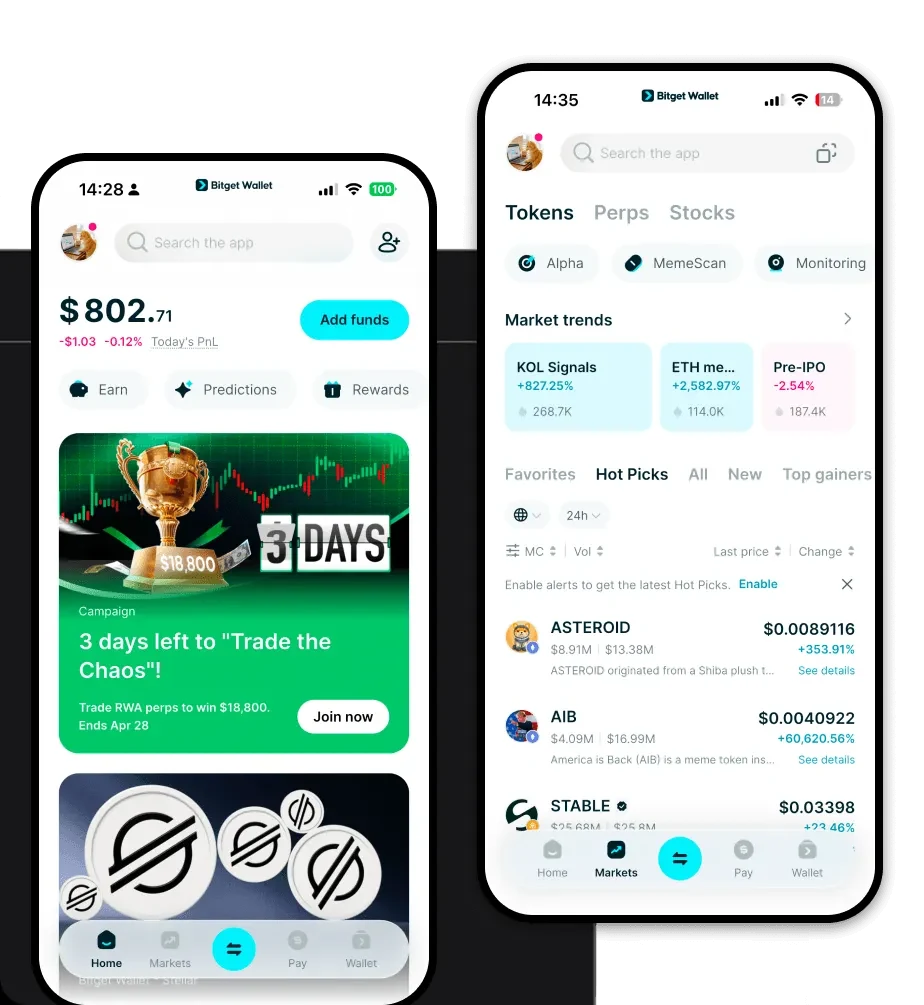
If you are looking for a reliable gateway to the AI agent economy, you should download Bitget Wallet. This application serves as a comprehensive portal, offering robust support for the EVM ecosystem while ensuring that you maintain full custody of your private keys. Unlike centralized exchanges, Bitget Wallet is a self-custodial solution, meaning you remain the sole owner of your assets. Whether you prefer managing your portfolio on the go via an iOS or Android device, or you require a browser extension for seamless desktop interactions with decentralized applications (dApps), Bitget Wallet provides a unified experience across all platforms. It simplifies complex blockchain interactions, making it an ideal choice for both newcomers to the AI agent space and experienced DeFi users.
Why Choose Bitget swarms Wallet?
Choosing the right wallet for an infrastructure-heavy token like swarms is critical for performance and security. Here is why Bitget Wallet stands out for EVM-based assets:
- Seamless EVM Compatibility: Bitget Wallet is built to handle the complexities of the Ethereum Virtual Machine, ensuring you can interact with decentralized protocols without compatibility errors.
- Smart Gas Management: As an infrastructure token, swarms transactions often require precise gas fee handling; Bitget Wallet offers intelligent gas estimation to ensure your transactions process efficiently without overpaying.
- Advanced DeFi Integration: The wallet aggregates hundreds of DEXs and cross-chain bridges, allowing you to swap your swarms tokens for other assets at the best available market rates directly within the app.
- Enterprise-Grade Security: With a dedicated $300 million user protection fund, Bitget Wallet adds an extra layer of defense for your assets, complementing the self-custodial nature of your private keys.
- Streamlined DApp Ecosystem: Access the Swarms infrastructure and other AI-related dApps effortlessly through the integrated browser, designed specifically for smooth Web3 navigation.
How to Create a swarms Wallet
Setting up your wallet is a straightforward process. Follow these steps to get started:
- Installation: Visit the official website to download Bitget Wallet for your mobile device or browser extension.
- Wallet Creation: Open the app and select 'Create a New Wallet'.
- Backup Your Seed Phrase: You will be given a 12-word recovery phrase. Write this down on paper and store it in a secure location; never share this with anyone.
- Verify and Setup: Follow the on-screen prompts to verify your phrase and create a secure password for the app.
- Add swarms Token: Once your wallet is active, use the 'Add Token' or 'Search' feature to find the swarms token contract address and add it to your main asset list, making your swarms wallet address visible.
What Can You Do With a swarms Wallet?
With your Bitget wallet set up, you can fully participate in the Swarms ecosystem. Here are the practical use cases:
- Building Autonomous Agents: Utilize the wallet to interact with protocols that allow you to construct and deploy your own autonomous AI agents using the Swarms infrastructure.
- Monetizing AI Services: Connect your wallet to the decentralized agent marketplace to earn rewards or payments generated by your AI services.
- Deploying Agent Networks: Use your swarms holdings to participate in the deployment of large-scale agent networks, leveraging the project's end-to-end stack.
- Governance Voting: Hold swarms tokens in your wallet to participate in community governance, helping steer the future direction of the AI agent infrastructure.
- Accessing Swarms API: Use your wallet to authenticate and interact with the Swarms API, enabling developers to integrate multi-agent collaboration features into their own applications.
How swarms Wallets Are Different from Other Crypto Wallets
When dealing with infrastructure tokens like swarms, the architecture of your wallet matters significantly. Unlike older wallets designed for simple Bitcoin (UTXO) transactions, a swarms wallet for the EVM ecosystem uses an 'Account-based' model. This means your wallet tracks a balance and a nonce (transaction count), which is essential for executing smart contract interactions like those required for AI agent deployment. While Bitcoin wallets focus on managing Unspent Transaction Outputs (UTXO) for simple transfers, your Bitget EVM wallet is optimized for 'Gas' management—calculating the computational costs required for complex multi-agent operations. This makes it far more efficient for navigating the decentralized marketplace and AI service ecosystems compared to standard, non-EVM-compatible wallets.
