





What is an elon Wallet?
An elon wallet is a digital interface designed to securely store, manage, and interact with the Elon Coin ($ELON) token, which operates on the EVM (Ethereum Virtual Machine) blockchain. Because $ELON is an EVM-compatible asset, your wallet functions as a bridge to the broader Ethereum ecosystem, allowing you to hold tokens, execute smart contract interactions, and participate in decentralized finance (DeFi) protocols directly on-chain.
Elon Coin ($ELON) leverages Musk memes for its creation, with an avatar resembling a commemorative coin. The community hype is intense, whales frequently entering the market hinting at big moves, and the Twitter buzz is overwhelming. It was once hailed as the "next Penguin Coin." Despite the massive traffic, speculative risks remain significant, and caution is advised when getting involved.
Download Bitget elon Wallet
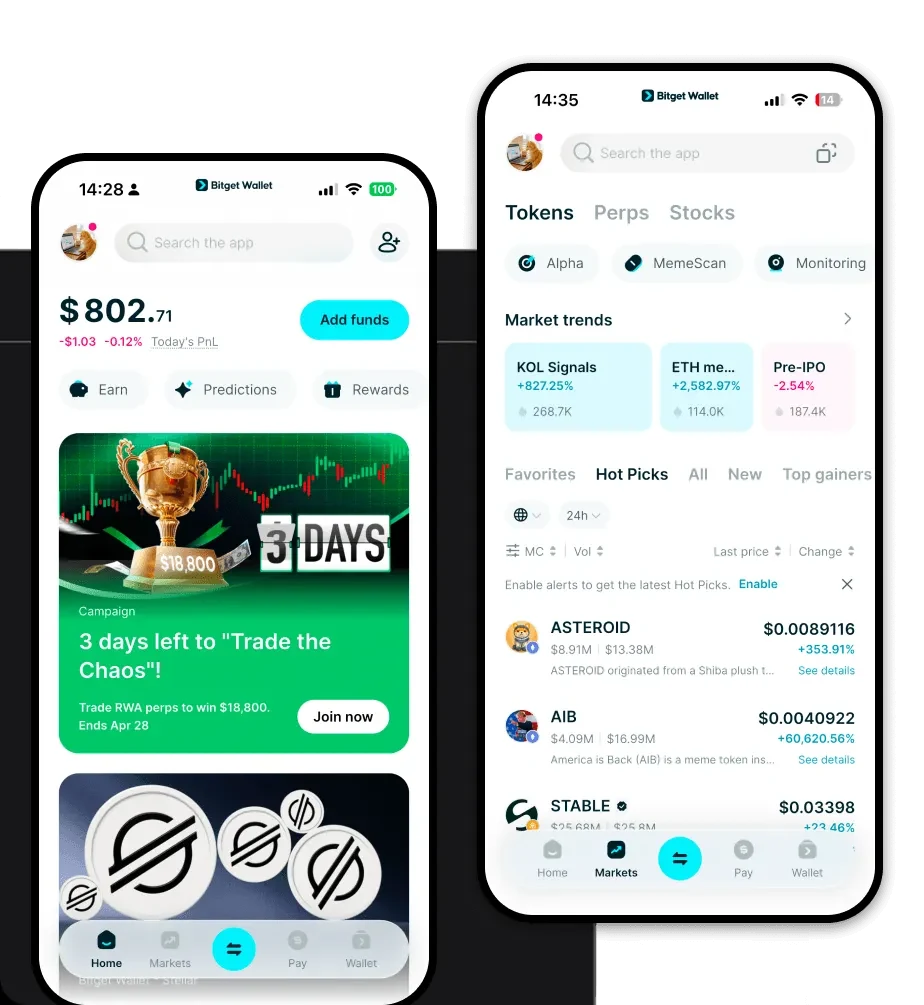
To start your journey with $ELON, you need a robust, user-friendly tool that prioritizes self-custody. The Bitget Wallet app is widely considered the best wallet for elon due to its comprehensive support for the EVM network and its intuitive design for both beginners and experienced traders.
You can access your assets across multiple devices, as Bitget Wallet is available as an iOS app, an Android app, and a browser extension. By choosing to download Bitget Wallet, you retain full control over your private keys, ensuring that you are the sole custodian of your meme coin portfolio. The app simplifies the complexity of the blockchain, allowing you to manage your elon wallet address and monitor your holdings in real-time without needing to understand the underlying technical architecture of the EVM chain.
Why Choose Bitget elon Wallet?
When dealing with high-volatility assets like meme coins, your choice of wallet is critical. Bitget Wallet provides specific advantages for EVM-based tokens:
- Seamless EVM Integration: Bitget Wallet is designed to be fully compatible with the Ethereum Virtual Machine, meaning you can interact with any decentralized exchange (DEX) to trade $ELON without compatibility issues.
- Advanced Gas Fee Management: The wallet features intelligent gas fee estimation, helping you optimize transaction costs during times of high network congestion, which is common when meme coins experience heavy trading volume.
- Robust Security Architecture: With a $300 million user protection fund, Bitget provides an extra layer of security, safeguarding your assets against potential vulnerabilities in the DeFi space.
- DApp Browser Access: You can easily connect your wallet to popular DEXs and NFT marketplaces to explore new opportunities within the meme coin ecosystem.
- Real-time Market Insights: Access live market data and trending token information directly within the app, helping you make informed decisions based on community sentiment.
How to Create an elon Wallet
Setting up your wallet is a straightforward process designed to keep your assets secure while maintaining accessibility. Follow these steps to get started:
Step 1: Download the official Bitget Wallet app from the official website or your device's app store. Avoid third-party links to ensure you have the authentic version.
Step 2: Open the application and select the option to create a new wallet. You will be prompted to set a strong, unique password for the app.
Step 3: Securely back up your mnemonic phrase (seed phrase). This is the master key to your funds. Write it down on paper and store it in a safe, offline location. Never share this phrase with anyone.
Step 4: Once the wallet is created, your elon wallet address will be automatically generated. You can view this address in the main dashboard, which serves as your public key for receiving $ELON tokens.
Step 5: To manage $ELON, click on the asset management section, search for the token contract address, and add it to your wallet. You are now ready to send, receive, and swap your tokens.
What Can You Do With an elon Wallet?
Your wallet is more than just a storage space; it is an active tool for engaging with the crypto economy. Here is how you can utilize it:
- Trading: You can execute rapid swaps of $ELON for other tokens on decentralized exchanges, allowing you to capture market opportunities as they arise.
- Speculative Investment: By using your wallet, you can allocate portions of your portfolio to $ELON, monitoring the speculative volatility of the asset directly from your dashboard.
- Community Participation: You can engage with the broader community by connecting your wallet to meme-focused platforms or DAOs that require token-gated access.
- Holding for Hype Potential: You can securely store your $ELON tokens in your self-custody wallet, keeping them safe while waiting for potential price appreciation driven by social media trends and market excitement.
How elon Wallets Are Different from Other Crypto Wallets
Not all wallets are built the same. When using a wallet for an EVM token like $ELON, you are interacting with an account-based model rather than the UTXO (Unspent Transaction Output) model used by Bitcoin. This difference is vital for your experience.
Unlike Bitcoin wallets, which focus on managing individual transaction outputs, an EVM-compatible elon wallet is designed to track balances and execute complex smart contracts. This allows for the high-speed trading and interaction with liquidity pools that define the meme coin experience. Furthermore, while Bitcoin wallets might focus on simple peer-to-peer transfers, your EVM wallet enables you to interact with the entire DeFi ecosystem, including swapping, lending, and staking. Bitget Wallet optimizes this by streamlining the gas fee process and providing a user-friendly interface that masks the complexity of smart contract interactions, ensuring that managing your meme coins feels as simple as using a standard banking app.
