





What is a devices Wallet?
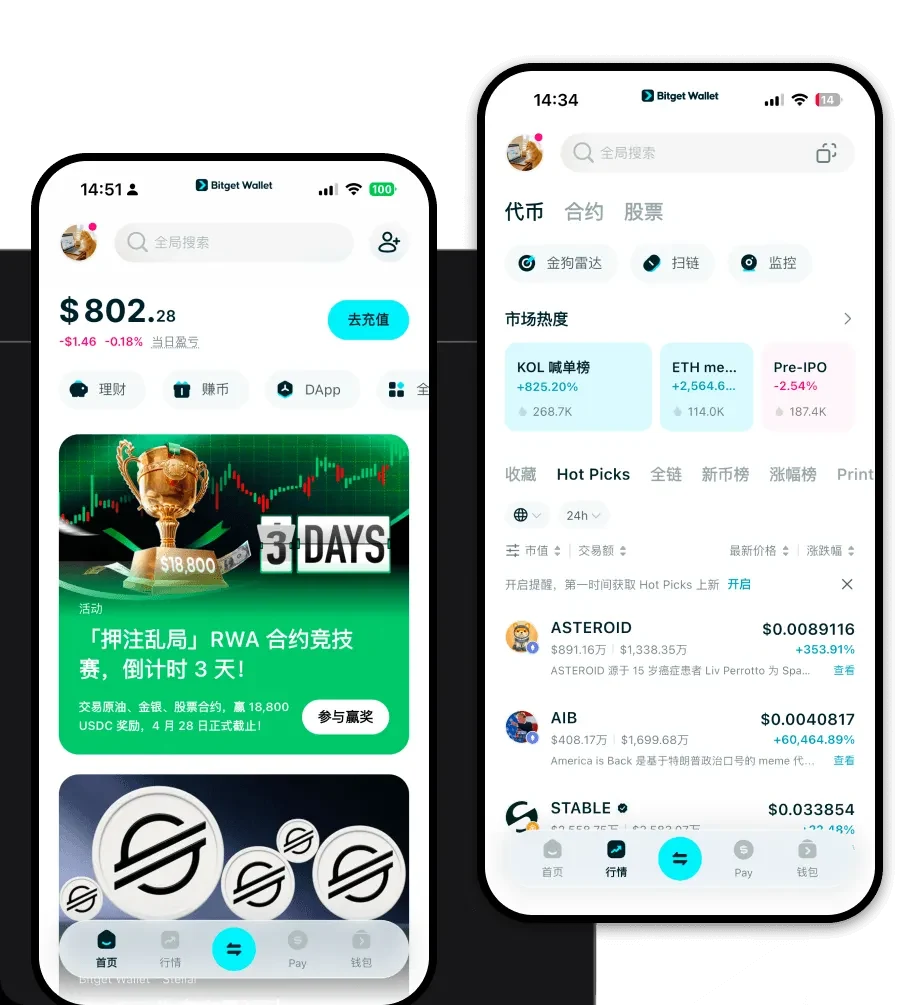
A 'devices' wallet refers to the versatile, multi-platform capability of the Bitget Wallet ecosystem, designed to provide a reliable and secure crypto wallet experience across various devices. Trusted by 40 million users, it enables seamless Web3 exploration, asset management, and dApp interaction regardless of the device you use. Built primarily on the EVM (Ethereum Virtual Machine) framework, it serves as a robust gateway for users to interact with the vast landscape of Ethereum-compatible blockchains, ensuring that your digital assets remain accessible whether you are on a desktop, tablet, or mobile phone.
Download Bitget devices Wallet
Getting started with your cross-platform crypto journey is simple and secure. The Bitget Wallet offers a unified experience across iOS, Android, and browser extensions, allowing for real-time synchronization of your portfolio. Because the wallet utilizes self-custodial architecture, you retain full control over your private keys at all times, ensuring that you are the sole guardian of your assets. To get started, you can download Bitget Wallet directly from the official website to ensure you are using the authentic, verified version. Whether you are switching between a mobile app for on-the-go trading or a desktop browser extension for complex DeFi maneuvers, the experience remains fluid, intuitive, and highly compatible with the diverse range of EVM chains.
Why Choose Bitget devices Wallet?
When navigating the complex EVM ecosystem, choosing the right infrastructure is critical for both security and efficiency. Bitget Wallet stands out for several key reasons:
- EVM Compatibility & DeFi Optimization: Designed to interact natively with Ethereum and its layer-2 scaling solutions, the wallet allows for seamless participation in DeFi protocols with optimized gas fee estimations.
- Cross-Platform Synchronization: Your assets and transaction history are automatically synced across all your devices, meaning you never have to worry about importing seeds separately on every platform.
- Robust Security Architecture: With a $300 million user protection fund and advanced encryption standards, the wallet provides a safety net that goes beyond standard cold storage solutions.
- Hardware Wallet Integration: For users prioritizing maximum security, the wallet supports seamless connection with leading hardware devices, bridging the gap between convenience and offline cold storage.
- Integrated dApp Browser: The built-in browser allows you to connect to decentralized applications without exposing your private keys, providing a secure environment for Web3 exploration.
How to Create a devices Wallet
Creating your wallet is a straightforward process that grants you immediate access to the blockchain. Follow these steps:
- Step 1: Download and install the official Bitget Wallet application or browser extension on your preferred device.
- Step 2: Open the app and select 'Create a New Wallet' to generate a unique set of recovery phrases.
- Step 3: Carefully back up your 12-24 word recovery phrase (seed phrase) in a secure, offline location; never share this with anyone.
- Step 4: Set a strong, unique password for the app to add a secondary layer of encryption to your local device storage.
- Step 5: Once the wallet is initialized, you can add your preferred EVM networks to start viewing your balances and interacting with dApps.
What Can You Do With a devices Wallet?
A Bitget wallet is more than just a place to hold tokens; it is a comprehensive tool for managing your digital life. Here is how you can utilize it:
- Managing multi-chain assets: You can consolidate and track tokens across multiple EVM-compatible networks, such as Ethereum, BNB Chain, and Polygon, all within a single interface.
- Interacting with decentralized applications: The wallet acts as your digital identity, allowing you to connect to and sign transactions on platforms like Uniswap, Aave, and Compound without friction.
- Swapping tokens across chains: You can utilize the built-in bridge and DEX aggregators to exchange assets between different chains at the best available market rates.
- Viewing and storing NFTs: The wallet provides a dedicated gallery view, allowing you to easily manage, store, and display your NFT collections across different networks.
- Participating in staking protocols: You can stake your native tokens directly through the wallet interface to earn yield, with clear visibility into your rewards and positions.
How devices Wallets Are Different from Other Crypto Wallets
Unlike basic wallets that only support simple transfers, Bitget Wallet is built as a comprehensive infrastructure layer for the EVM ecosystem. While many wallets struggle with the complexity of account-based models, Bitget Wallet optimizes for gas efficiency and smart contract interaction. Unlike UTXO-based wallets (like Bitcoin) that require complex script handling, this wallet simplifies the EVM's account model, making it easier for users to manage token approvals and contract interactions. Furthermore, the focus on 'devices' means it is engineered for high-frequency synchronization, ensuring that your transaction state and wallet address are always consistent, regardless of whether you initiate a trade on your phone or a dApp interaction on your computer.
