What is a CHM Wallet?
A CHM wallet is a specialized digital interface designed to interact with the blockchain network where CHM resides. Since CHM operates on the EVM (Ethereum Virtual Machine) chain, it requires a wallet that supports Ethereum-based standards to ensure compatibility with smart contracts and decentralized applications. CHM is a digital asset that can be securely managed, stored, and transacted using Bitget Wallet. Trusted by millions of users, Bitget Wallet provides a gateway for CHM holders to explore Web3 ecosystems and manage their assets with high security standards.
Download Bitget CHM Wallet
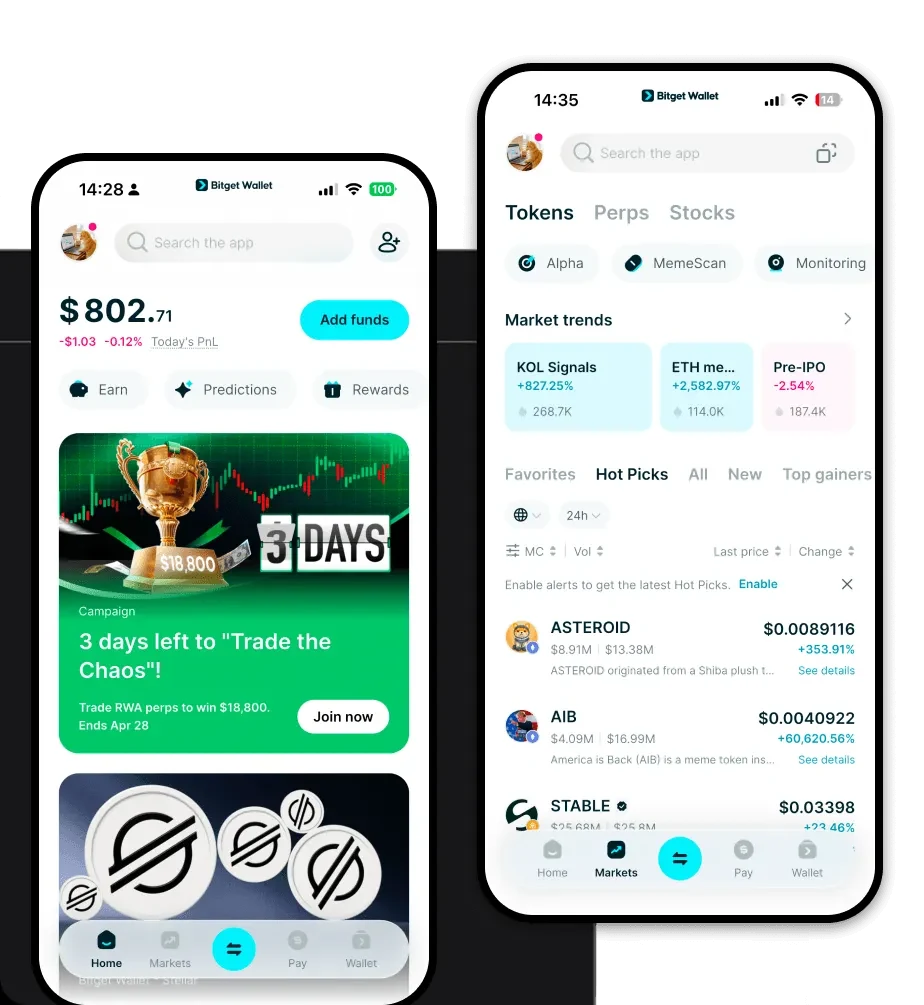
To start your journey with CHM, you need a robust, user-friendly interface that puts you in total control of your assets. Bitget Wallet offers a non-custodial solution, meaning you hold the private keys and maintain full ownership of your CHM at all times. Whether you prefer managing your portfolio on the go or from your desktop, Bitget Wallet provides seamless cross-platform accessibility. You can download Bitget Wallet directly onto your iOS or Android device, or install the browser extension to interact with DeFi protocols. With comprehensive multi-chain support, you aren't just limited to CHM; you can manage assets across 130+ mainstream blockchains within a single, unified interface.
Why Choose Bitget CHM Wallet?
- Native EVM Compatibility: Designed specifically for the EVM ecosystem, Bitget Wallet allows for seamless interaction with decentralized exchanges and smart contract protocols, ensuring your CHM transactions are processed with precision.
- Advanced DeFi Integration: As a DeFi-focused asset, CHM benefits from Bitget Wallet’s deep integration with hundreds of DEXs and liquidity pools, enabling you to find the best swap rates instantly.
- Enterprise-Grade Security: With a $300 million user protection fund and robust encryption standards, your CHM holdings are shielded against common vulnerabilities and unauthorized access.
- Smart Contract Transparency: The wallet provides clear insights into smart contract interactions, so you know exactly what you are signing before you confirm any DeFi transaction.
How to Create a CHM Wallet
Setting up your wallet is a straightforward process designed for both beginners and experienced traders:
- Install the App: Visit the official website and download Bitget Wallet to your preferred device.
- Create a New Wallet: Open the app and select 'Create a New Wallet.' Ensure you are in a private location to prevent anyone from seeing your screen.
- Backup Your Seed Phrase: You will be given a 12-word mnemonic phrase. Write this down on paper and store it in a secure, offline location. Never share this with anyone.
- Verify Your Phrase: The app will ask you to re-enter the words to confirm you have backed them up correctly.
- Import or Add CHM: Once your wallet is created, the system will automatically generate your EVM-compatible address. You can now send CHM to this address or use the 'Add Token' feature to display CHM in your dashboard.
What Can You Do With a CHM Wallet?
Owning a CHM wallet unlocks the full potential of your digital assets within the Web3 space. Here is how you can utilize your wallet:
- Asset Storage: Keep your CHM secure by holding it in a non-custodial environment where you retain exclusive control over your private keys.
- Token Trading: Leverage Bitget Wallet’s built-in DEX aggregator to trade CHM for other assets with minimal slippage and optimized gas fee management.
- Portfolio Management: Track the real-time performance of your CHM holdings alongside your broader crypto portfolio with clear, data-driven analytics.
- Web3 Ecosystem Participation: Use your wallet to connect to various dApps and DeFi platforms, allowing you to participate in staking, yield farming, or governance activities associated with the CHM ecosystem.
How CHM Wallets Are Different from Other Crypto Wallets
Not all wallets are created equal, especially when dealing with EVM-based tokens like CHM. Unlike wallets designed for UTXO-based chains (like Bitcoin), an EVM wallet like Bitget Wallet utilizes an account-based model. This allows for complex smart contract interactions, which are essential for DeFi. Furthermore, while some wallets struggle with high network traffic, Bitget Wallet optimizes gas fee settings, ensuring that your CHM transactions are prioritized efficiently during periods of high network congestion. By focusing on the EVM infrastructure, Bitget Wallet offers a superior experience for CHM holders compared to generic, multi-purpose wallets that lack specific DeFi tooling.