


Polymarket UK Deposit Guide: How to Deposit Money in the United Kingdom?
Polymarket UK deposit guide is one of the most searched topics among UK users looking to access decentralized prediction markets. Unlike traditional platforms, Polymarket does not support direct fiat deposits. Instead, users must move through a crypto-native flow—converting GBP into USDC and transferring it via the Polygon network.
For beginners, this may feel complex. But with tools like Bitget Wallet, the process becomes significantly more streamlined—combining wallet access, token transfers, and DApp connectivity in one place. This guide breaks down how to deposit into Polymarket from the UK safely, efficiently, and with minimal fees.
Key Takeaways
- In this Polymarket UK deposit guide, UK users cannot deposit GBP directly into Polymarket
- Deposits follow a structured flow: GBP → USDC → Polygon → Polymarket
- Choosing the right exchange helps reduce conversion fees and improve execution
- A non-custodial wallet is required to access and trade on-chain
- Bitget Wallet simplifies the entire deposit + trading process for UK users
Polymarket UK Deposit Guide: How Do UK Users Deposit into Polymarket?
Depositing into Polymarket follows a structured on-chain process. Each step plays a role in cost, speed, and execution reliability.
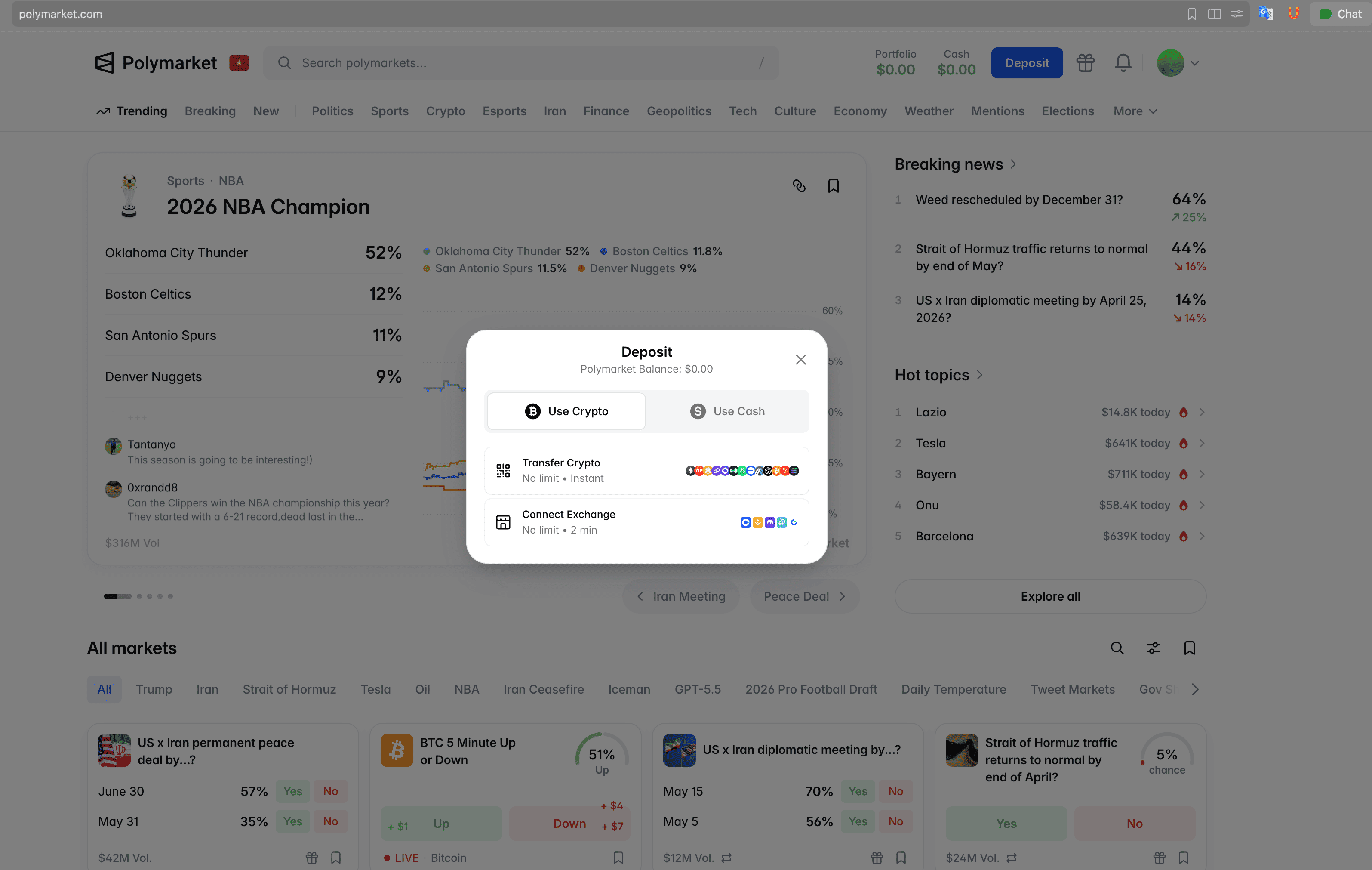
Step 1: Deposit GBP into a crypto exchange
Start by transferring GBP from your bank to a crypto exchange that supports UK payment rails like Faster Payments.
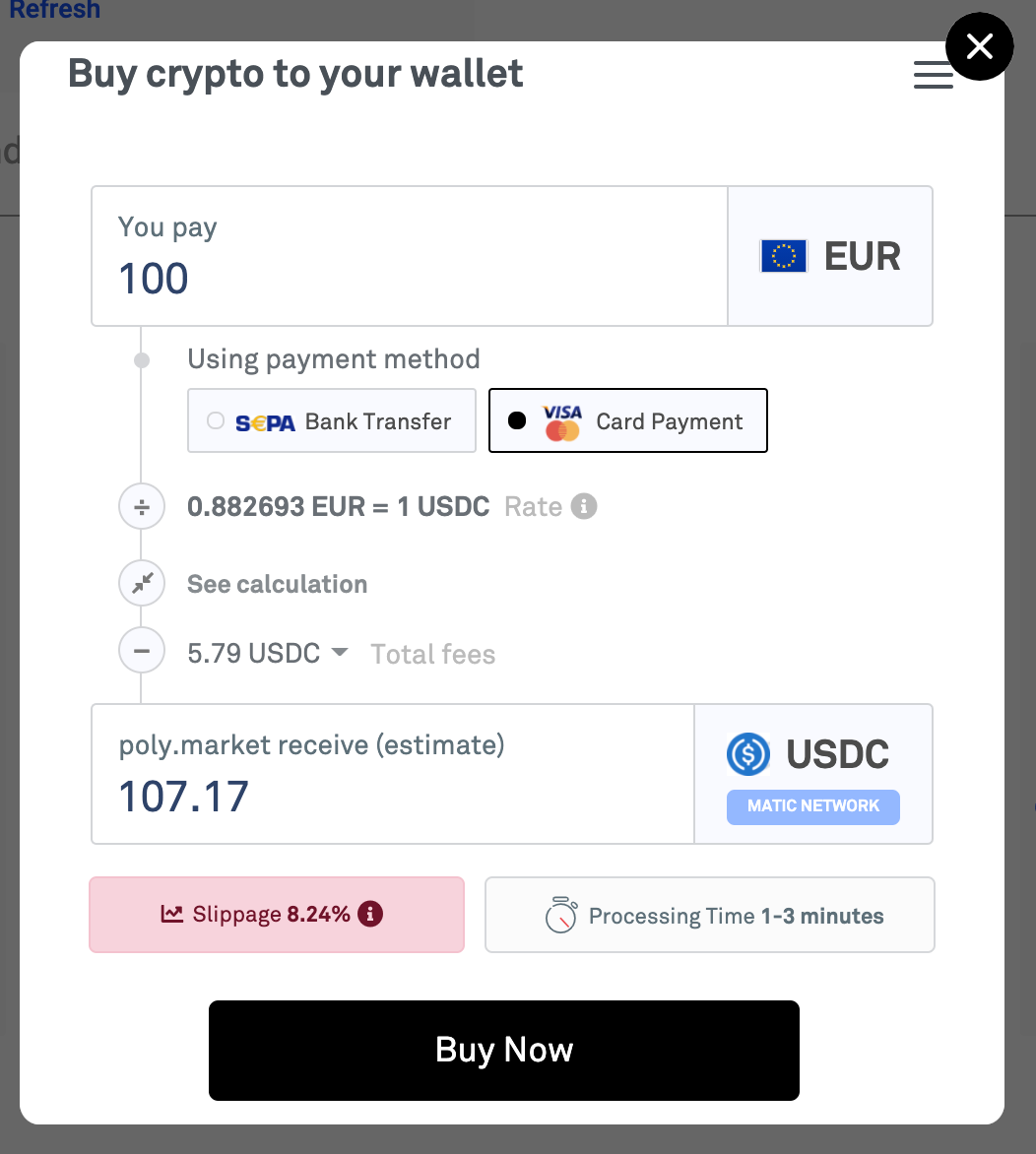
Step 2: Convert GBP to USDC
Once GBP arrives, convert it into USDC.
- Polymarket only supports USDC
- Conversion fees vary significantly between platforms
Execution tip: Use spot trading instead of instant buy to reduce fees
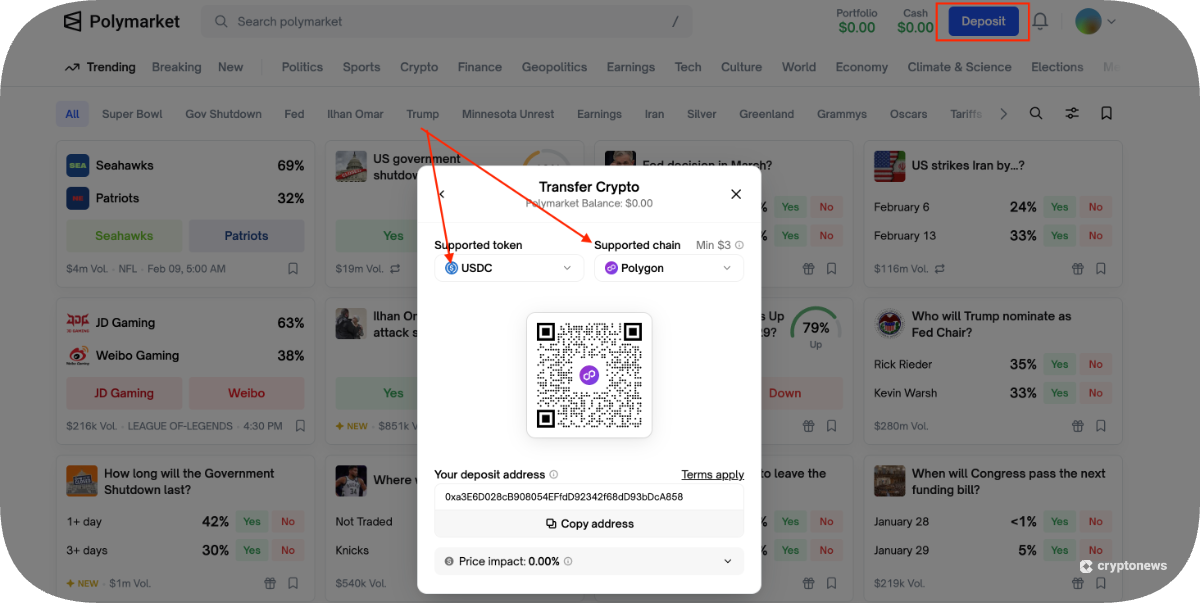
Step 3: Transfer USDC to a Web3 wallet
After conversion, withdraw USDC to your wallet. Select Polygon network and avoid Ethereum unless necessary (higher fees)
Step 4: Connect wallet and fund Polymarket
- Open Polymarket through your wallet
- Connect wallet
- Funds appear instantly
At this point, you can begin trading prediction markets directly.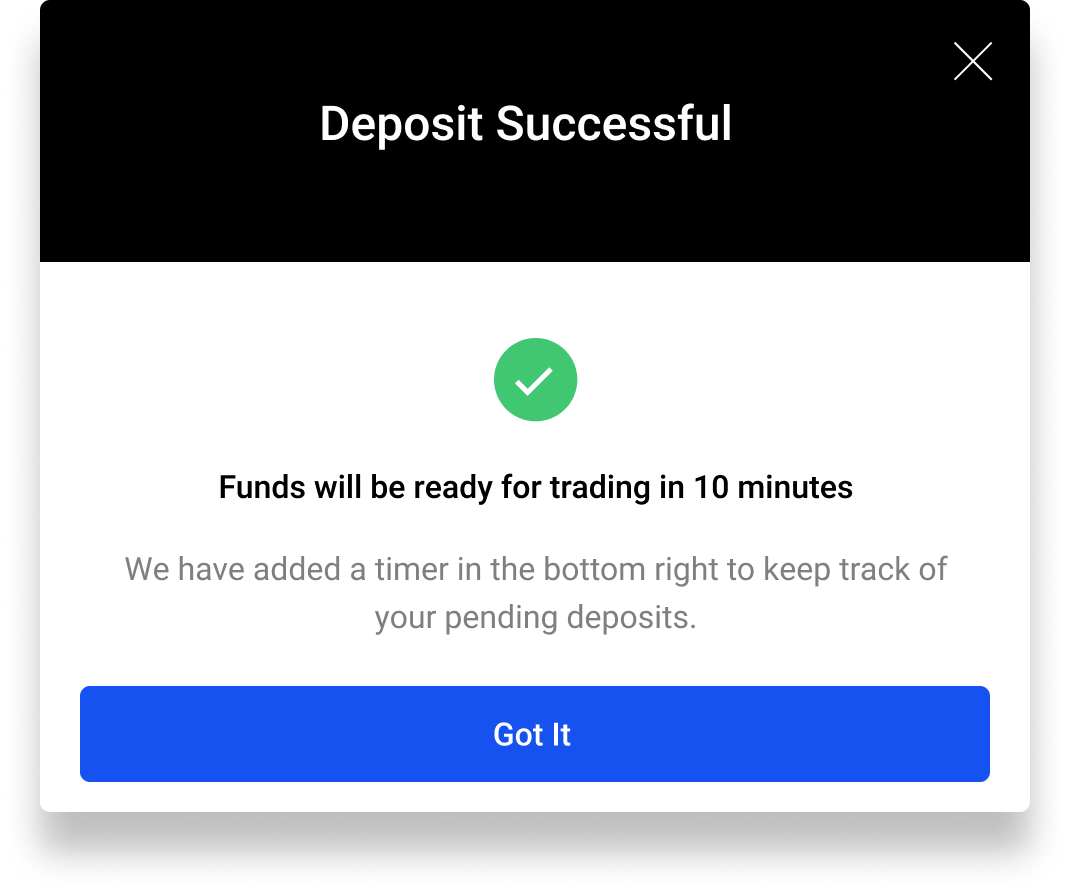
Can You Deposit Money from the United Kingdom Safely?
Yes,. You can only do this through a crypto workflow that is not direct. In this guide for people in the United Kingdom who want to put money into Polymarket, people who live in the United Kingdom need to know that the government watches what people do with crypto. The Financial Conduct Authority makes sure that people follow the rules about money laundering and knowing who your customers are.
Because of this people who live in the United Kingdom cannot put money directly into places like Polymarket.
Instead people in the United Kingdom have to follow the steps to put money into Polymarket in a way that is allowed:
- First you have to take money from your bank
- Then you have to put that money into a crypto exchange
- After that you have to move the money to a kind of wallet called a Web3 Wallet
- Finally you can put the money into Polymarket
To do this safely this guide says you should use exchanges that are regulated and make sure your wallet is connected correctly and pick the network, which is USDC on Polygon. If you do it this way you will be following the rules. Keeping your money safe when you use Polymarket to make predictions, about what will happen.
The Best Exchange and Wallet to Deposit to Polymarket in the UK
To make a deposit to Polymarket in the UK you need to pick the best exchange and wallet. This is because you have to change your money from GBP to USDC before you can put it in Polymarket. So it is an idea to use a safe exchange to change your money and a special kind of wallet that lets you use things on the blockchain.
Some people use Kraken or Coinbase to put their GBP into the system. Then they use wallets like the Bitget Wallet to connect to apps that are not controlled by a central authority. You can get the Bitget Wallet. When you are choosing think about the fees. How fast you can send USDC. You also want to make sure the wallet works with the Polygon network so everything runs smoothly. The best choice for you will depend on how much it costs how fast it. How well it supports the Polygon network, for Polymarket.
Which platforms are best for UK Polymarket deposits?
Before choosing a platform, UK users should understand that depositing into Polymarket is not a single-step process. It involves both fiat conversion (GBP → USDC) and on-chain execution via a Web3 wallet, so no single platform handles everything. The best setup typically combines a regulated exchange for secure GBP deposits and a non-custodial wallet for full control and DApp access.
| Platform | Type | Key Strengths | Limitations | Fees (General) | Best Use Case |
| Bitget Wallet | Wallet | Low trading fees, strong Polygon support, seamless wallet integration for on-chain access | Requires basic understanding of wallets and networks | Low trading + low transfer fees | Users who want efficient, low-cost deposits and direct access to Polymarket |
| Kraken | Centralized Exchange | High regulatory compliance, strong security reputation, reliable GBP on-ramp | Higher trading fees, limited direct Web3 integration | Medium–high trading fees | Users prioritizing security and compliance when converting GBP to crypto |
| Coinbase | Centralized Exchange | Very beginner-friendly interface, easy fiat deposits, widely trusted | Expensive conversion fees, higher spreads | High fees (conversion + spread) | Beginners who value simplicity over cost efficiency |
Read more: Top Polymarket Projects Ranked by Liquidity, Active Users, and Market Impact
What Mistakes Should UK Users Avoid When Converting GBP?
Making mistakes when you put money into Polymarket from the United Kingdom is a problem that can cost you a lot of money. It seems easy to change GBP to USDC. If you make small mistakes with the network or fees or moving money from your wallet you can lose a lot of money. Sometimes you can even lose it forever. If you know about these mistakes you can put money into Polymarket more easily and it will cost you less. Polymarket is where you are trying to put your money so you should be careful when you do it.
1. Wrong Networks
Choosing the wrong blockchain network can dramatically increase fees and delay transactions. Many beginners accidentally send USDC via Ethereum instead of Polygon, which is required for Polymarket.
- Ethereum gas fees are significantly higher than Polygon
- Funds may require bridging, adding extra steps and costs
- Incorrect network selection can delay or complicate deposits
2. High Fees
Not all conversion methods are equal—some quietly include high spreads and hidden fees that eat into your deposit amount.
Avoid:
- Credit/debit card purchases with high processing fees
- “Instant buy” features with hidden spreads
- Poor exchange rates compared to spot trading
3. On-ramp services
Third-party fiat-to-crypto services may seem convenient, but they often come with significantly higher costs.
- Fees can range from 3% to 5% per transaction
- Limited transparency in pricing and spreads
- Less control over execution timing and rates
4. Wrong wallet address
Incorrect wallet transfers are one of the most serious mistakes in crypto, as transactions are irreversible.
- Sending to the wrong address can result in permanent loss
- Network mismatches (e.g., sending Polygon to Ethereum address) can break transactions
- Always double-check wallet address and network before confirming
Do You Need KYC or a Crypto Wallet to Use Polymarket in the UK?
In this Polymarket UK deposit guide, the short answer is: yes for exchanges, no for wallets—but you need both to complete the process. UK users typically must complete KYC (identity verification) on regulated exchanges to convert GBP into crypto, due to compliance requirements. However, accessing Polymarket itself requires a non-custodial crypto wallet, not an account with KYC.
This means the full workflow combines KYC-compliant fiat entry (exchange) with self-custody and on-chain interaction (wallet) to deposit and participate securely.
What Are the UK Regulations and Risks When Using Polymarket?
In this Polymarket UK deposit guide, understanding the regulatory environment and potential risks is essential before funding your account. In the United Kingdom, crypto-related activities operate under oversight from the Financial Conduct Authority, which focuses on AML and consumer protection rather than directly regulating decentralized platforms like Polymarket.
This creates a grey area where access is possible, but users remain fully responsible for compliance, execution, and risk management when depositing and trading.
What Regulations Should UK Users Understand Before Depositing?
From a Polymarket UK deposit guide perspective, regulation mainly affects how users enter the crypto ecosystem rather than how they interact on-chain.
- UK exchanges must comply with KYC and AML regulations
- Direct fiat deposits to decentralized apps are not supported
- Users are responsible for tax reporting and transaction tracking
- Access may vary depending on regional restrictions and platform policies
How Can UK Users Reduce Risks When Depositing and Trading?
Following this Polymarket UK deposit guide, reducing risk comes down to using the right tools and maintaining a disciplined approach to execution.
- Use regulated exchanges for GBP to crypto conversion
- Always verify wallet addresses and network (Polygon) before transfers
- Avoid overexposure—prediction markets are probability-based, not guaranteed returns
- Use trusted wallets like Bitget Wallet for secure on-chain access
Key insight: Risk in Polymarket is less about the platform itself and more about how users execute deposits, manage funds, and approach volatility.
How Can You Use Bitget Wallet to Deposit Money to Polymarket Efficiently?
In this Polymarket UK deposit guide, using a non-custodial wallet is the final and most important step to access on-chain prediction markets. Bitget Wallet helps UK users move from simple crypto ownership to actual participation by combining asset storage, network management, and DApp access in one interface.
Instead of switching between multiple tools, users can deposit, transfer, and connect to Polymarket directly—making the entire process faster, safer, and more efficient.
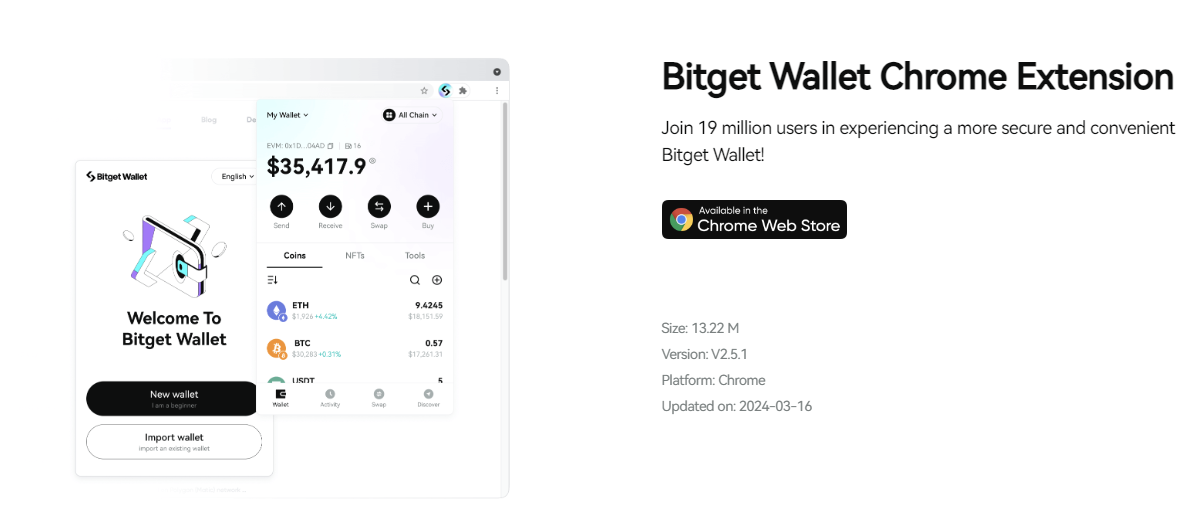
Step 1: Download and set up Bitget Wallet
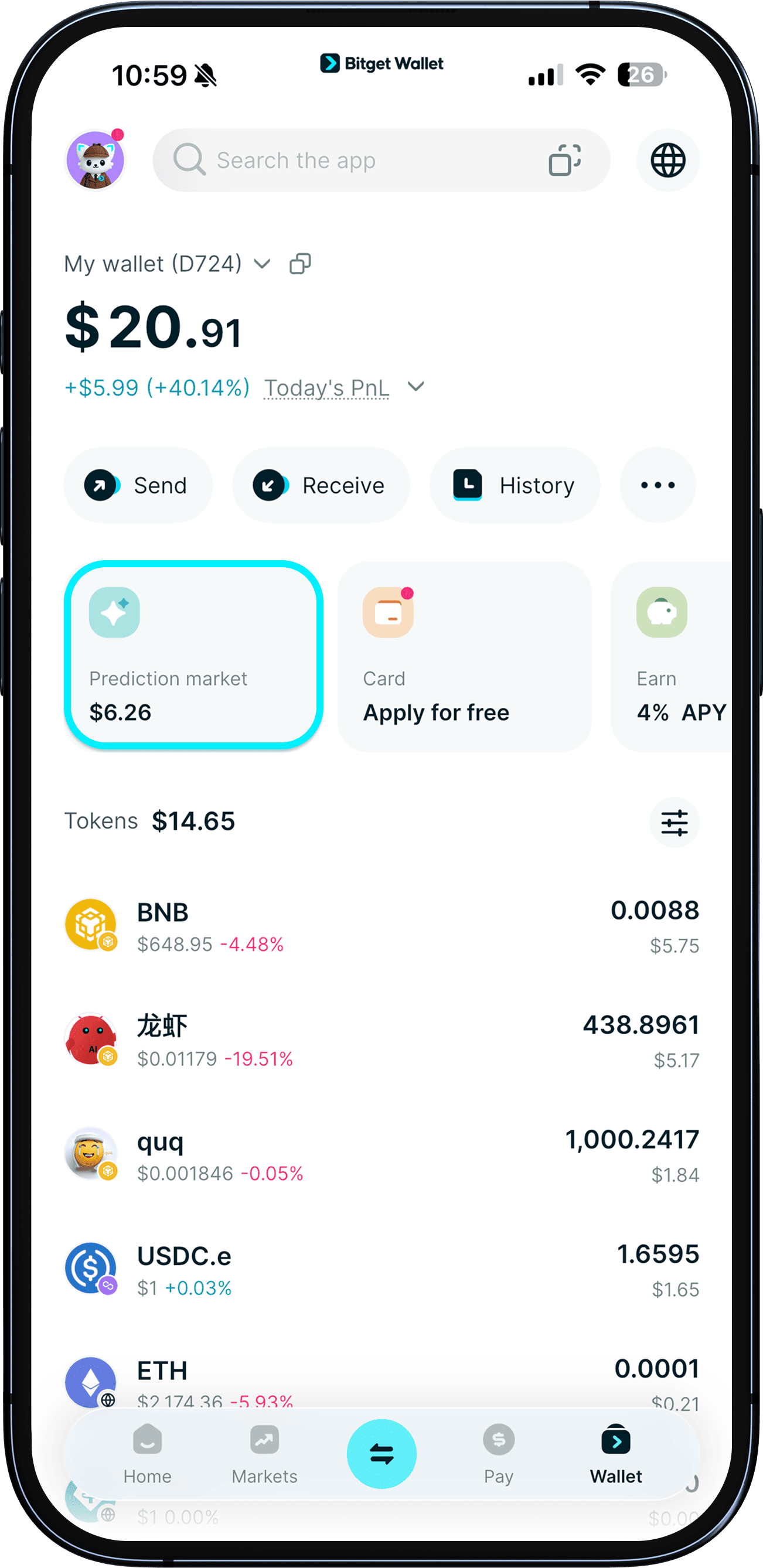
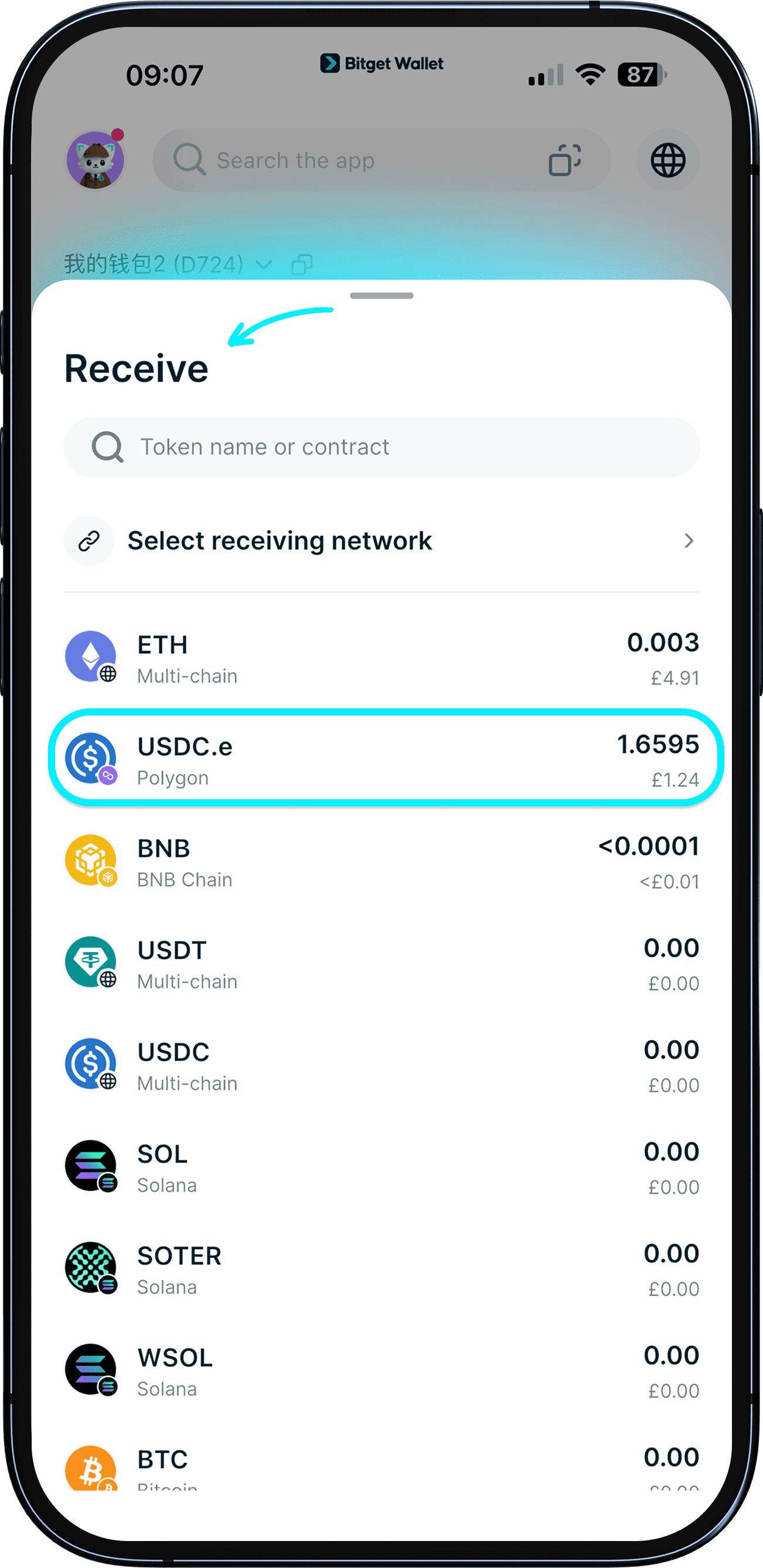
Step 2: Deposit or transfer USDC (Polygon) into your wallet
- Tap "Deposit" and select "On-chain transfer."
- Choose your token from the list.
- Copy the deposit address or scan the QR code and send funds from your external wallet.
Step 3: Open the DApp browser and access Polymarket
Inside Bitget Wallet, navigate to the built-in DApp browser to explore decentralized applications directly. Use the search bar to find Polymarket or access it via a verified link.
Always double-check that you are visiting the official domain to avoid phishing risks.
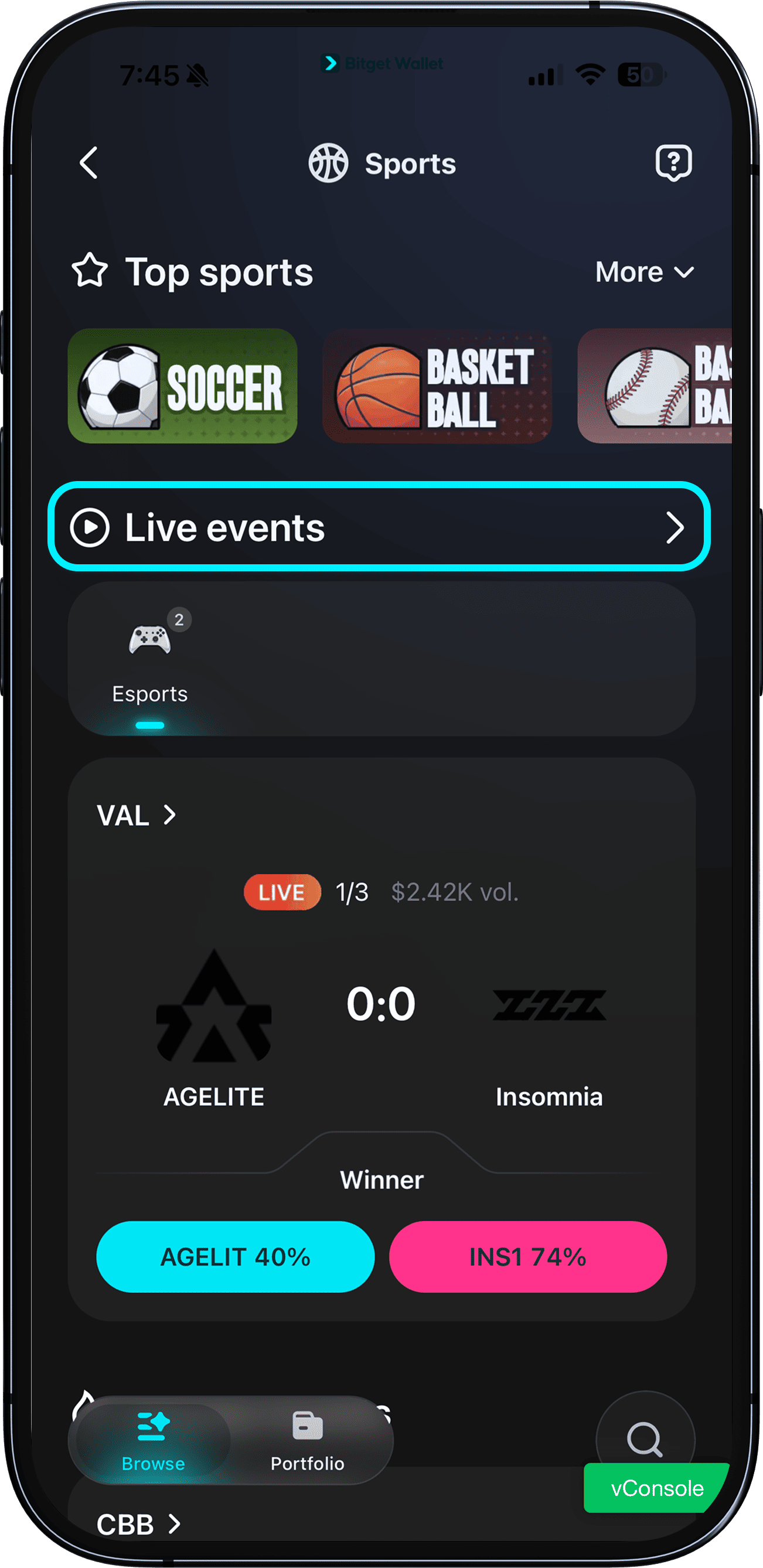
Step 4: Start exploring markets and placing predictions
Once connected, you can browse live markets on Polymarket, including categories like crypto, politics, and global events. Select a market, review the probability pricing, and choose your position (Yes/No) based on your analysis.
→ Get started with Bitget Wallet to make your Polymarket UK deposit process faster and simpler. With built-in wallet + DApp integration, you can convert, transfer, and connect to Polymarket in just a few taps—no complex setup required.
Download Bitget Wallet now to deposit funds from the UK with ease, reduce errors, and start accessing prediction markets securely.
Related Reading on Polymarket Trading
Polymarket is one of the most active decentralized prediction market platforms, allowing users to trade Yes-No contracts on politics, macro events, sports, and breaking news. If you're exploring how Polymarket works and how traders approach liquidity and strategy, these guides provide deeper insights.
🔹 Polymarket Platform Overview
- What Is Polymarket: A Beginner’s Guide to Trading Decentralized Prediction Markets
- Top Polymarket Projects Ranked by Liquidity, Active Users, and Market Impact
- Polymarket Trading Strategies: How to Make Money on Polymarket?
- Kalshi vs Polymarket: Who Is the True King of the Prediction Market in 2026?
🔹 About Polymarket Token
- What Is Polymarket Token (POLY): The Blockchain-Based Prediction Market Backed by ICE and NYSE
- Polymarket Airdrop Guide: How to Participate and Claim $POLY Rewards?
- How to Buy POLY in 2026: A Beginner’s Step-by-Step Guide to Polymarket Token
- Polymarket Listing Launch Date: What Investors Should Know Before $POLY Goes Live
🔹 About Prediction Markets
- What Is a Prediction Market in Crypto and How Blockchain-Based Prediction Markets Work
- Types of Prediction Market: Real Money, Play Money, and Decentralized Systems
- How to Trade Crypto Prediction Markets?
- What Is a Yes No Market: How Investors Trade Probabilities Using Yes-or-No Contracts
- How to Trade on Yes-No Market: A Practical Guide to Binary Prediction Trading
Conclusion
This Polymarket UK deposit guide shows that while UK users cannot deposit GBP directly, accessing prediction markets is still straightforward with the right workflow. By following the structured path—exchange → wallet → Polymarket—you can convert GBP to USDC, transfer funds securely, and start participating without unnecessary risk or high fees.
The important thing is that you do it correctly. If you use the tools you will make fewer mistakes and you will not have to pay a lot of money to use the service. This is where the Bitget Wallet is helpful. The Bitget Wallet is a tool because it is easy to use with your Polymarket account it is easy to get to the things you need and you have complete control over your money.
So if you want to start using Polymarket you should download the Bitget Wallet. Then follow this guide, for Polymarket UK. This will help you put money into your account quickly and easily and then you can start using the prediction markets without worrying.
Sign up Bitget Wallet now - grab your $2 bonus!
FAQs
1. Can you use Polymarket in the United Kingdom?
Yes, UK users can access Polymarket, but they must fund their accounts באמצעות crypto (typically USDC) rather than direct GBP deposits due to regulatory constraints.
2. What is the cheapest way to deposit into Polymarket from the UK?
The most cost-efficient method is using a low-fee exchange to convert GBP to USDC, then transferring via Polygon to a non-custodial wallet like Bitget Wallet before connecting to Polymarket.
3. Do you need a crypto wallet to use Polymarket in the UK?
Yes. A non-custodial wallet is required to interact with Polymarket, as it enables on-chain transactions and direct control of your funds.
4. Why does Polymarket require USDC on Polygon for deposits?
Polymarket operates on the Polygon network to ensure low fees and fast transactions, and USDC is used as the standard stablecoin for trading and settlement.
Risk Disclosure
Please be aware that cryptocurrency trading involves high market risk. Bitget Wallet is not responsible for any trading losses incurred. Always perform your own research and trade responsibly.
 Arc Wallet Guide: How to Get Started With Arc in Bitget Wallet2026-09-19 | 5 mins
 What Is a Crypto Bridge? How to Move Crypto Between Blockchains2026-09-04 | 3 mins



