


How to Download Bitget Wallet APK Safely: Step-by-Step Beginner Guide
How to Download Bitget Wallet APK safely has become a common need for Android users, especially in regions where Google Play or the App Store is restricted, unavailable, or unsupported on certain devices. As more users move toward self-custody and on-chain asset management, understanding the correct and secure way to install Bitget Wallet via APK is a critical first step to avoid security risks from the outset.
At its core, an APK is the official Android installation package, not a third-party workaround when obtained from the right source. When users download the file from the official Bitget Wallet download page, verify its authenticity, and strictly follow seed phrase security rules, installing via APK is a legitimate and safe option, even for beginners.
In this article, we will break down the entire process of downloading and installing the Bitget Wallet APK safely, step by step, while highlighting common risks and how to avoid fake apps and phishing links.
Key takeaways
- Only download the Bitget Wallet APK from the official website and use SHA256 verification to compare the file hash—this is the strongest defense against fake or tampered apps.
- Never share your seed phrase, never enter it on any website or link, and never store it as a photo or screenshot. Fake apps commonly target seed phrases to drain wallets instantly.
- Security warnings when installing the Bitget Wallet APK outside the app store are normal. Allow Google Play Protect to scan the app and always review requested permissions carefully before proceeding.
How to Download Bitget Wallet APK: Why Use an APK File?
An APK (Android Package Kit) is the native installation file format for Android applications. In the Web3 context, using an APK is not an unusual workaround but a practical and sometimes necessary alternative when users cannot access or download apps from official app stores. What matters most is understanding why an APK is used and under what conditions it remains safe.
In practice, certain regions or Android devices do not display Web3 or crypto-related apps in app stores, or they encounter download restrictions. In these cases, downloading the APK from the official source becomes a legitimate solution—provided users take responsibility for verifying the file before installation.
- Some regions or devices do not show Web3 apps in app stores or cannot download them.
- APKs allow direct installation without relying on an app store, but this requires users to verify the download source themselves.
- Bitget Wallet offers an official Android APK option on its download page for situations where Google Play is unavailable.
Practical benefits of using an APK:
- Full control over installation when app stores are restricted or blocked.
- Reduced risk of installing “repacked” versions from untrusted websites.
- The ability to add an extra security step by verifying the SHA256 hash before installation.
Download Bitget Wallet APK: Which Seed Phrase Rules Are Non-Negotiable?
With a non-custodial wallet, the seed phrase or private key represents total control over the assets. If it is lost or exposed, the wallet cannot be recovered. Bitget Wallet is also described as a non-custodial wallet, meaning users are fully responsible for their own security.
| Rule | Matters |
| Never share your seed phrase | Anyone with it controls your wallet |
| Never enter it on websites or links | Phishing drains funds instantly |
| Do not screenshot or store it digitally | Malware can steal saved data |
| Only use it inside the official app | Fake apps capture seed phrases |
| Back it up offline | Loss means no recovery |
What Do You Need Before Downloading the Bitget Wallet APK?
Before installing the APK, make sure you are properly prepared to avoid errors or security issues:
- An Android device running a relatively recent OS version.
- A web browser (Google Chrome is commonly recommended).
- Enough free storage space to download and install the app.
- A stable internet connection to prevent corrupted or incomplete downloads.
- (Recommended) Enable Google Play Protect to scan apps installed outside the app store and flag potential risks.
How to Download the Bitget Wallet Android App via APK File?
Downloading the Bitget Wallet Android app via an APK file is simple if you follow the safest flow:
Step 1: Visit the Official Bitget Wallet Download Page
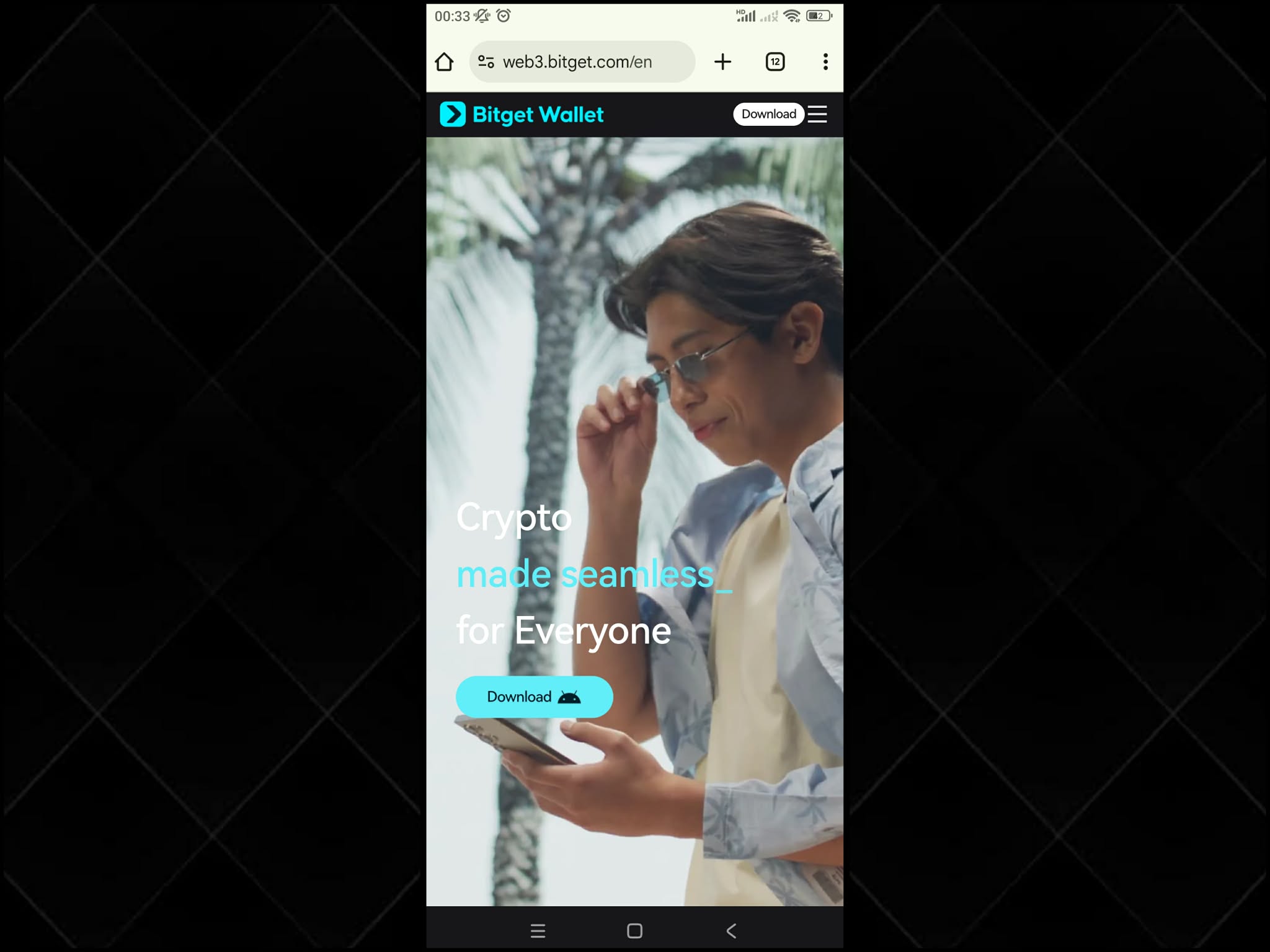
The most important step is using the official download page, because fake apps often use look-alike domains to trick users.
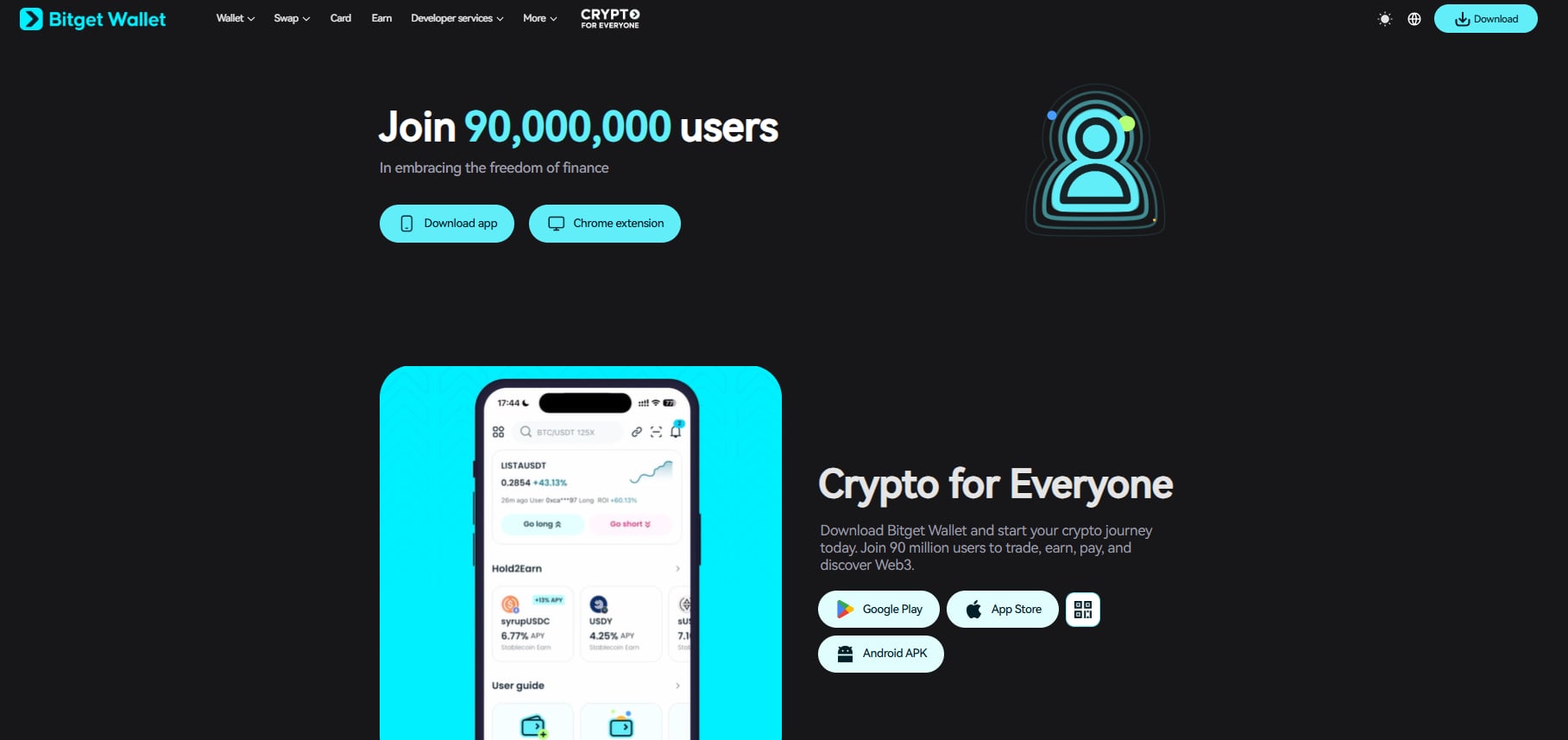
- Go to the official Bitget Wallet download page (with options for Google Play, App Store, and Android APK).
- Avoid links sent via unknown Telegram messages, inboxes, mirror sites, forums, or third-party APK stores.
Step 2: Download the Bitget Wallet APK File
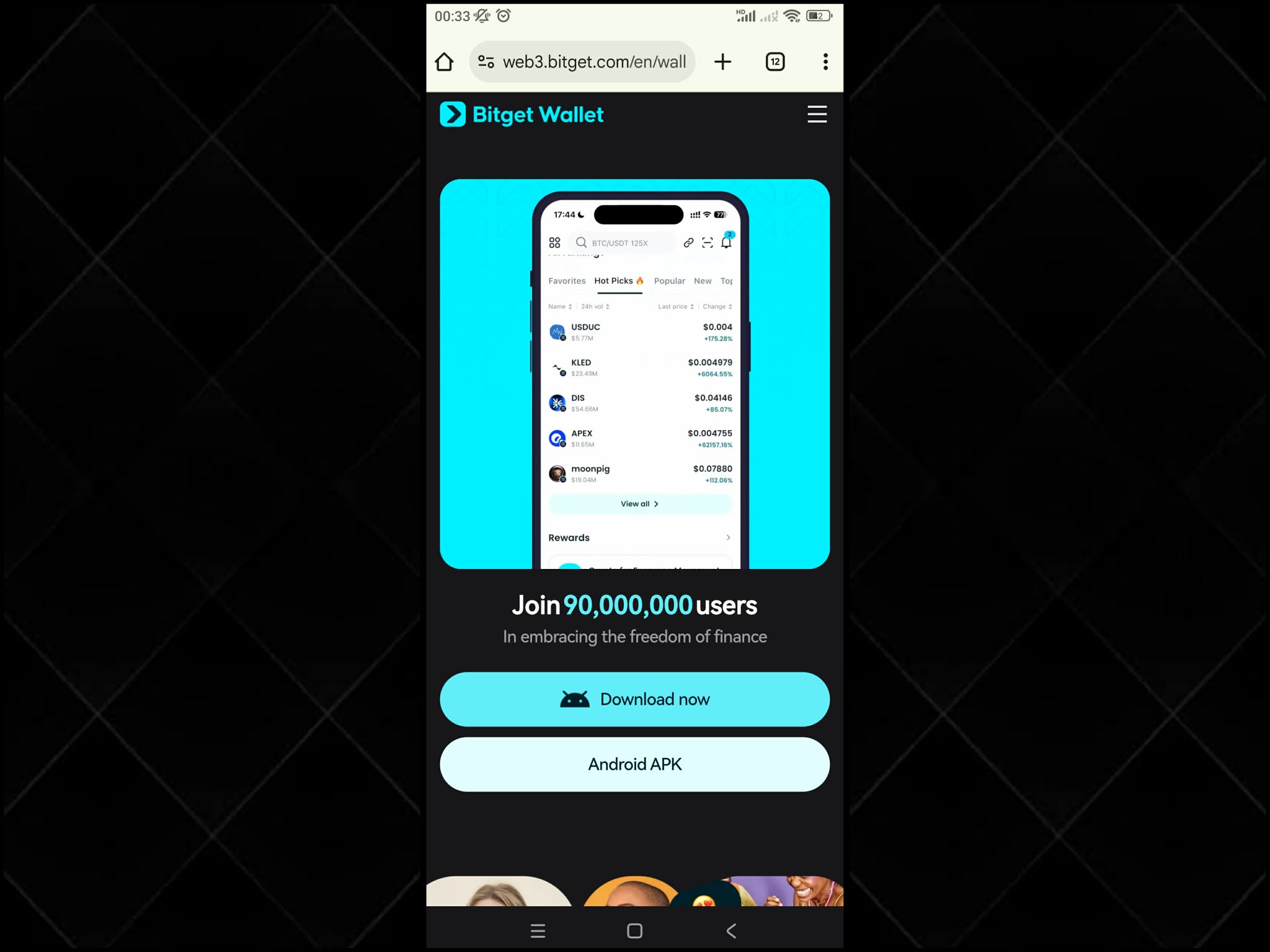
Download the APK from the Android APK button on the official page. Do not rename or modify the file.
- Tap Android APK to download.
- If Android shows a “this file may be harmful” warning:
- This is common for apps installed outside the Play Store.
- Do not skip checks—allow Play Protect to scan if prompted.
- Do not rename or edit the APK after downloading, as this can cause installation issues and make verification harder.
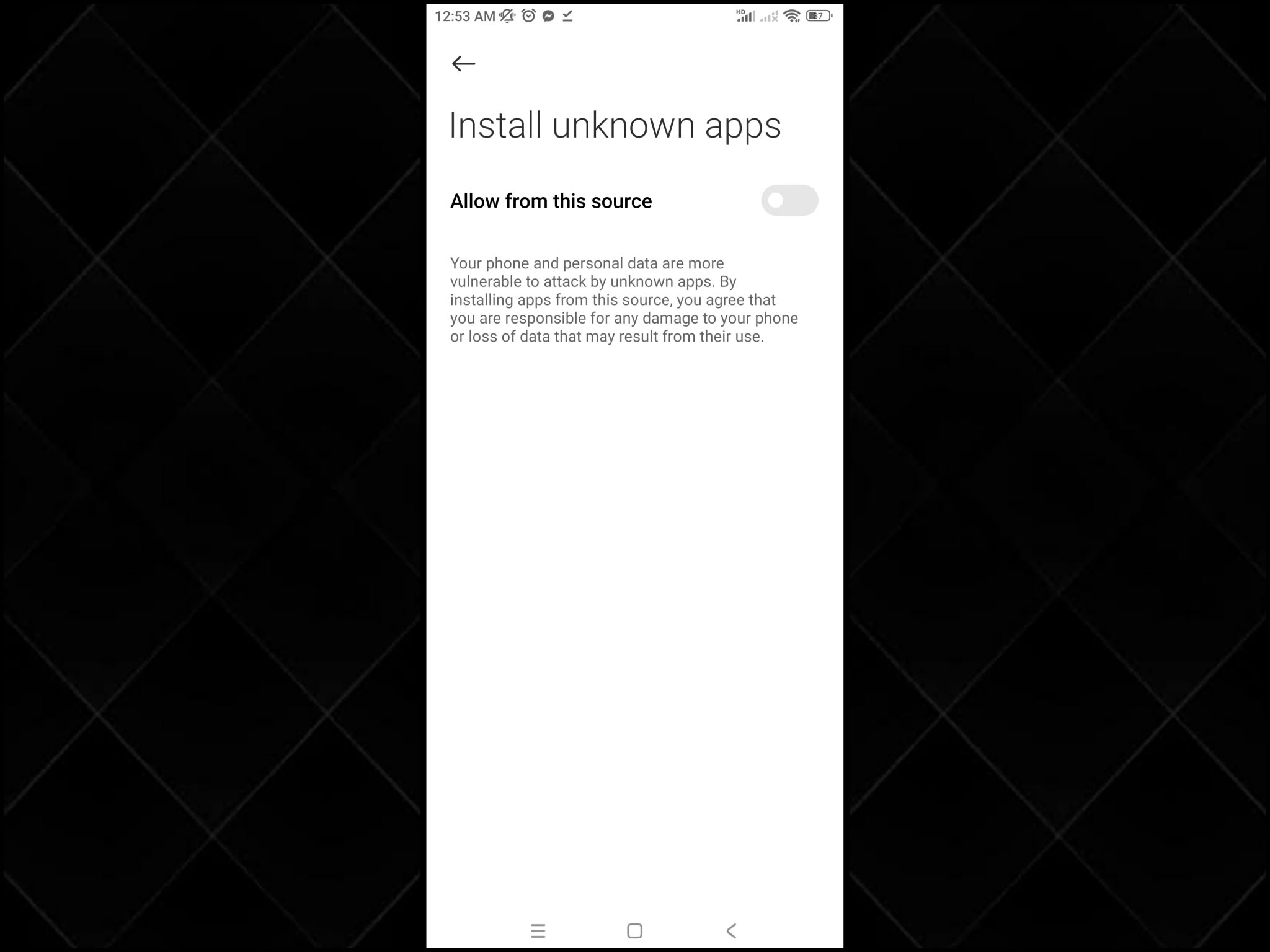
Step 3: Enable Installation from Unknown Sources
For security reasons, Android requires permission to install apps from unknown sources (per browser or file manager). This reduces the risk of installing malicious apps. In this case, enable it for the source you used.
Note: Only enable this permission for the browser you used to download the APK. After installation, you can turn it off again for better security.
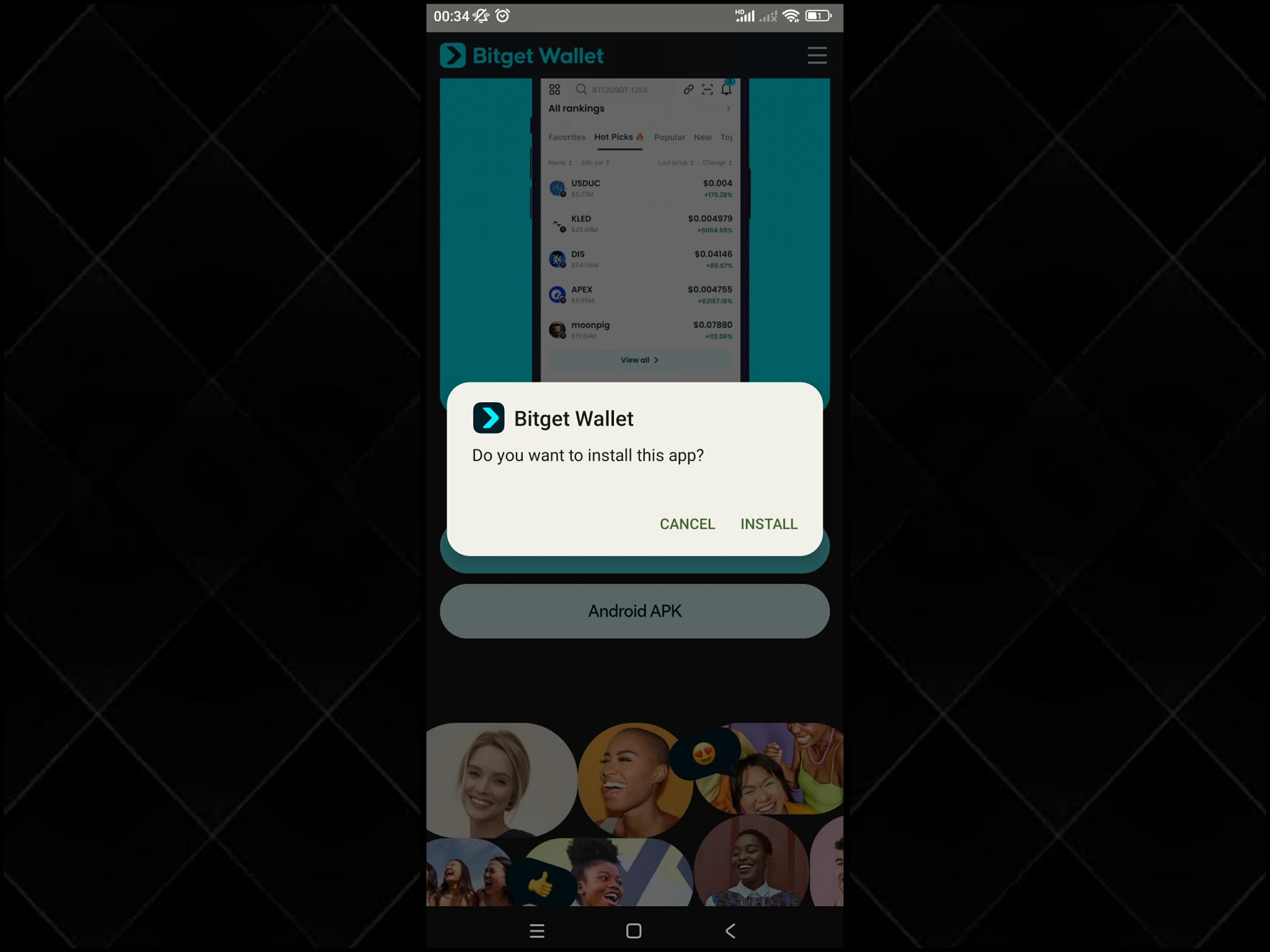
Step 4: Locate and Install the Bitget Wallet APK File
Open Downloads → tap the APK file → Install → check that the app appears in your app list.
- Open Downloads in your browser or file manager.
- Select the APK you just downloaded and tap Install.
- Wait for installation to finish, then confirm the app icon appears.
If Play Protect or the system blocks installation, do not force it by disabling all protections. Instead, delete the file and download it again from the official page. Ideally, run SHA256 verification before installing.
Bitget Wallet provides a SHA256 verification guide and tool that lets you compare the hash of your downloaded file with the official hash.
Read more: How to Verify the Authenticity of the Bitget Wallet APK Installation Package
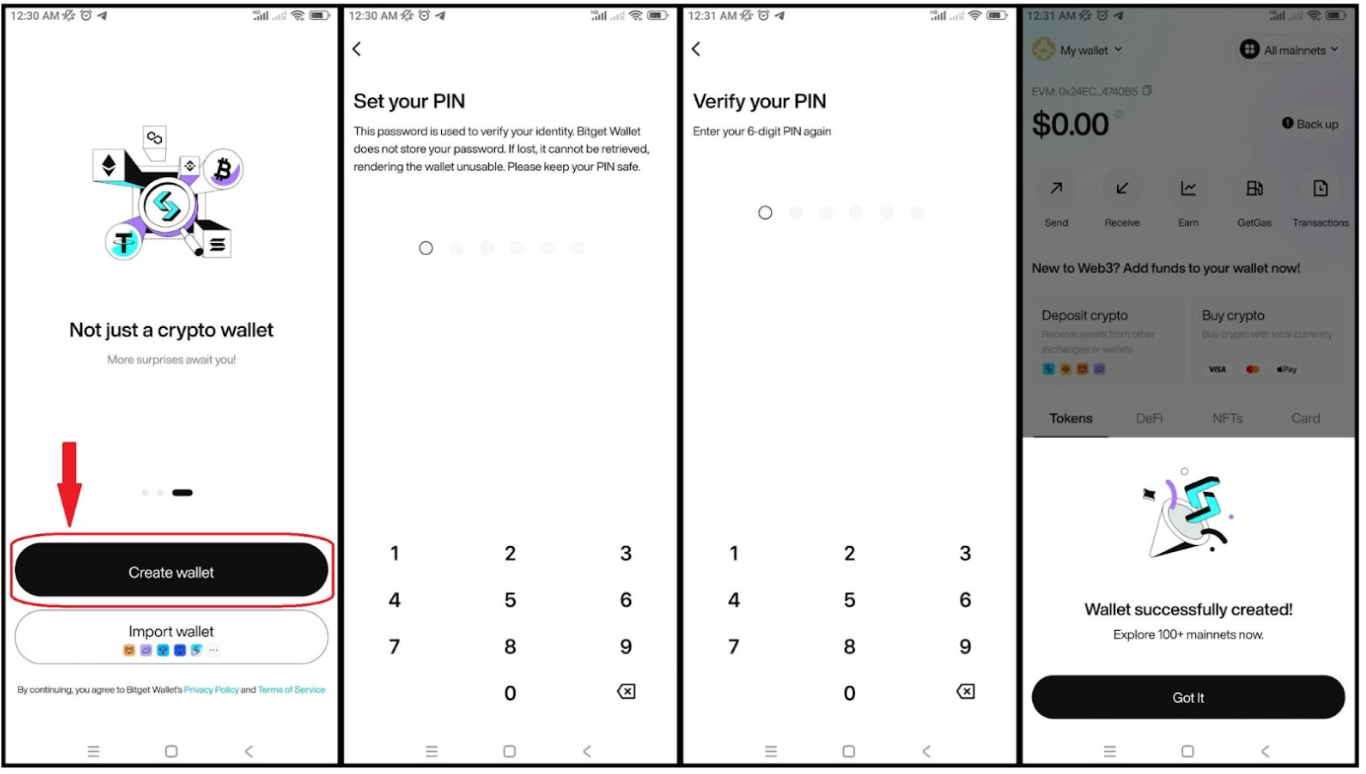
Step 5: Set Up and Start Using Bitget Wallet
- Open Bitget Wallet after installation.
- Choose Create a new wallet or Import an existing wallet.
- When creating a new wallet:
- Write down your seed phrase on paper and store it offline.
- Never take photos or save it to cloud notes.
- Finally, enable device security: PIN/biometrics, auto-lock, and grant only necessary permissions.
Download Bitget Wallet from the official source to manage stablecoins, track assets, and explore Web3 in a beginner-friendly app.
Security Note
- Only download the APK from the official website (avoid third-party APK stores).
- Use SHA256 verification for an extra layer of certainty.
- Never share your seed phrase or enter it on any website or link.
- Do not ignore Play Protect—it helps detect malicious apps, especially when installing outside Google Play.
How to Fix Common Bitget Wallet APK Installation Issues?
Installing the Bitget Wallet APK can sometimes cause a few issues. Below are the most common problems encountered during installation and how to fix them quickly:
| Issue | How to Fix |
| Cannot install the APK | Go back to Step 3 and enable “Allow from this source” for the exact browser or file manager used to download the APK |
| APK download interrupted or file corrupted | Delete the file and download it again from the official Bitget Wallet website; avoid unstable Wi-Fi and do not rename the APK file |
| “App not installed” error | Free up device storage; if an older version from another source exists, uninstall it and reinstall the APK from the official source |
| App installed but not visible | Check Settings → Apps to confirm installation; restart the device if the app icon does not appear |
| Installation blocked by Play Protect | Do not force installation; delete the file, re-download from the official site, and verify the APK file before installing |
This format keeps troubleshooting clear and easy to follow while maintaining security best practices.
Conclusion
How to download the Bitget Wallet APK safely depends almost entirely on two factors: using the official download source and protecting your seed phrase at all times. The official download page provides an Android APK option for situations where Google Play is unavailable, and you can further increase security by performing SHA256 verification before installation.
Installing via APK is a legitimate solution when app stores are inaccessible, and the entire process usually takes only a few minutes if done correctly. If you are a beginner, build good security habits early—allow Play Protect to scan the app, carefully check the website domain, and never enter your seed phrase anywhere other than the official application.
Download Bitget Wallet from the official download page to securely store and manage self-custody assets, trade, and explore Web3 more smoothly—especially when installing via APK.
Sign up Bitget Wallet now - grab your $2 bonus!
FAQs
1. How to Download Bitget Wallet APK safely?
Only download the APK from the official download page, avoid unfamiliar links, enable “Install unknown apps” for the correct browser, and (recommended) use SHA256 verification to confirm the file’s authenticity before installing.
2. Is the Bitget Wallet Android APK different from the app store version?
The official APK serves as an alternative installation method when the app store is unavailable. The main difference lies in distribution—the APK is downloaded directly from the official website rather than through an app store, which is why source verification is essential.
3. Do I need to update Bitget Wallet APK manually when using the APK version?
In some cases, installing via APK may require manual updates by downloading the latest version from the official website, depending on how updates are handled at the time. When updating, always follow the same rules: use the official source, verify the file, and stay alert to fake apps.
Risk Disclosure
Please be aware that cryptocurrency trading involves high market risk. Bitget Wallet is not responsible for any trading losses incurred. Always perform your own research and trade responsibly.
 Which Wallet Is the Most Secure for Storing Cryptocurrencies?2026-07-12 | 5 mins
- How Does CoinJar Compare to Other Cryptocurrency Wallets?2026-07-12 | 5 mins



